In detail / 03 · RADAR
Turn one piece of research into a standing watch.
Say what to watch, how often to check, and what change is worth an alert. When something changes, you get the time, the change and the evidence; when nothing does, the scan record is still there — quiet is not the same as idle.
- A task in one sentenceDescribe the question to watch; the agent drafts a name and schedule for you to confirm. Example tasks can be used as-is.
- Schedules with reasonsHow often to check follows the nature of the task: weekly in earnings season, per filing cycle for 13F — the reasoning is stated.
- Hits carry evidenceWhen a watch fires you get the full trace: when it changed, what changed, and where the material is.
- No change, still recorded“Scanned, nothing changed” is also a result — every run is on record, so nothing silently stops.
- You decide what to watchA company, a theme, or conditions you write yourself — up to 20 tasks.
One sentence to one task
- WriteDescribe the question to watch in one sentence; example tasks can be used as-is.
- UnpackThe agent drafts a name, a schedule and the reasoning behind it.
- ConfirmYou confirm or edit, and the task goes live — up to 20 tasks.
An example watch plan
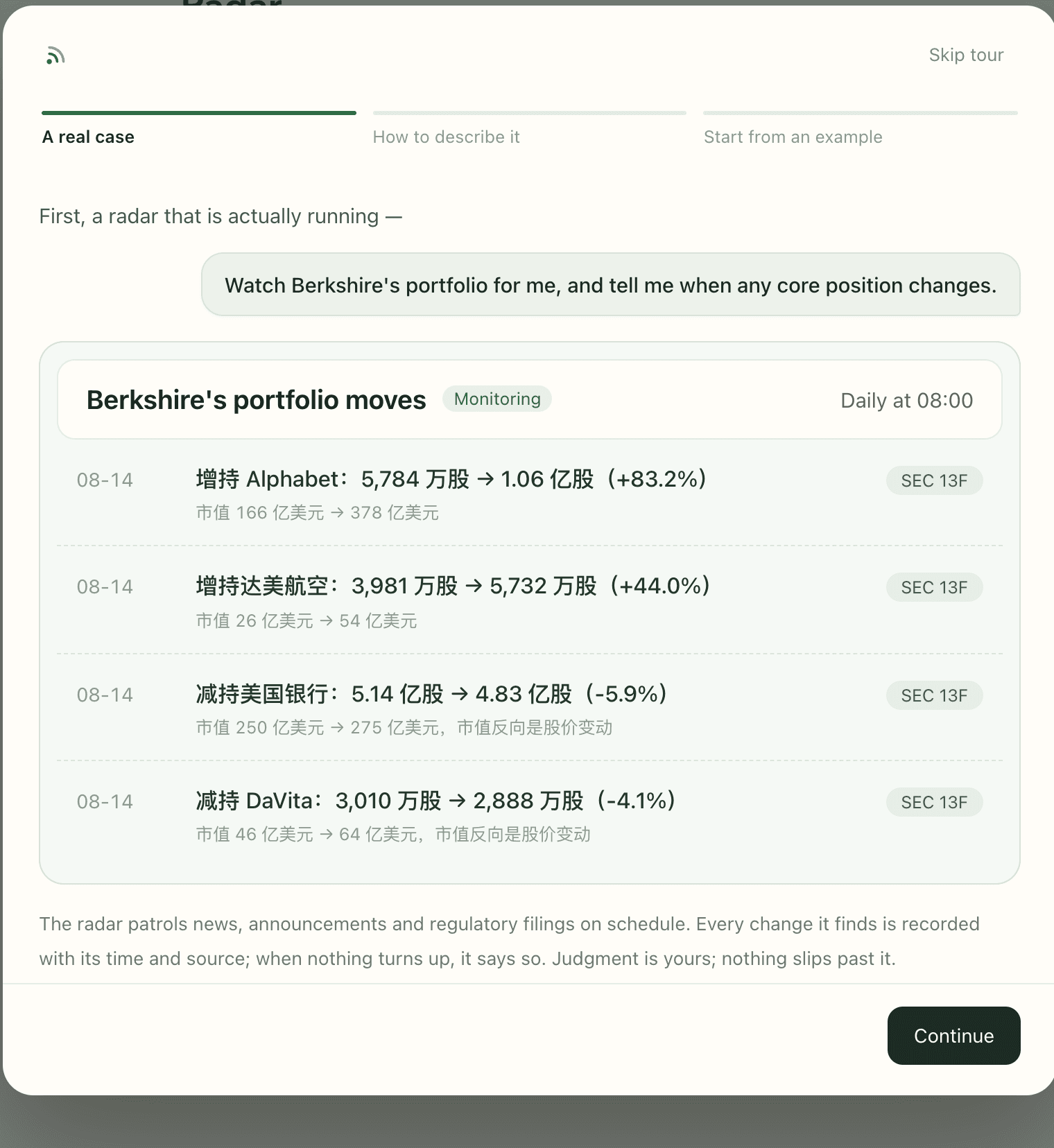
This previously published Berkshire plan shows what to specify before confirming a watch.
- What to watchBerkshire Hathaway's disclosed holdings changes
- What triggersA core position is added to, trimmed, newly opened or closed
- Which sourcesSEC 13F filings, Berkshire announcements and financial news
- How to reportThe changed names, share and value moves — with sources noted
Only the plan is shown here, without later results or notification records.
Read the original material
These pages provide Form 13F guidance and Berkshire reports. Check the relevant filing period for specific holdings changes.
Before you start
- What it is
- Reading and research tools for investing in AI.
- Who it is for
- Long-term investors who want to understand AI businesses and industry changes, and form views backed by evidence.
- What you can do
- Read public material, explore the AI industry map, AI 100 and investment tools. Sign in for personal research and long-term watches.
- How to use it
- Start with a question and relevant material, then review the answer and its sources. For a watch, set the subject and frequency, review the plan, and confirm.
- Sign in
- Public reading and resources need no account. Saving, following, personal research and long-term watches require Google sign-in.
- Cost
- The public parts are currently free. For signed-in research and watches, check the costs and usage limits shown when you start.
- Usage limits
- New accounts include trial credits. Check the limits and conditions shown when you start research or a watch.
- Sources and dates
- Materials keep source links and dates. Check whether a date refers to the edition, publication or verification. Research answers explain their sources and missing material. Financial snapshots and historical excerpts are not live quotes.
- Keep in mind
- No buy/sell signals, promised returns or managed funds. Even with a source link, check the original material and any unresolved questions.